To search
Softonic Rating:
Not bad:6/10
License:
Evaluation
Added:
April 27, 2006
Updated:
March 3, 2008
Publisher:
Website
File size:
2.4 MB
Downloads:
720
Nick Mead

“TrueColor icon editor and icon maker”

by Nick Mead

Editing your icons can be one of the best ways of giving your desktop and PC a really individual feel.

Microsoft has always provided some pretty uninspiring icons for all Windows releases and this program is aimed at giving them an extra touch of class. The good thing about IconEdit is that it accepts a huge range of icons formats from ICO, ICL, NIL, EXE and DLL to GIF, TIFF, BMP, and JPEG. It's also extremely easy to use even if the interface is a bit bland. Normally icon sizes are 32x32 pixels, 16x16 and in some rare cases, 48x48 for really big ones. The different size ranges require different tools to edit them effectively and IconEdit2 allows you to do so with speed and a touch of finesse even if you're no Picasso. The interface is similar to Window's own Paint application and the program allows you to modify desktop shortcuts and folder icons as well as substitute your own images instead of the default ones. You can also use it to create convincing Avatars that can be used with IM clients and forum sites. Probably the nicest feature for an imaging novice is the option to create a "transparent" background for any image or icon which usually takes longer in other similar apps.

This is an excellent icon editor that's simple to use but gives you just enough creative scope to make some really natty icons.

Languages:

English

Recent changes in IconEdit2:

  • 32-bit icon format added;
  • Auto Smooth (transparency) Edges option added for 32-bit icons;
  • Improved quality for image resize and rotate;
  • Improved quality for text, line, and ellipse smoothing;
  • 24x24, 64x64, 96x96, and 128x128 icon sizes now supported in addition to 16x16, 32x32, and 48x48;
  • New image filters added.

OS requirements for IconEdit2:

  • OS: Win95/98/98SE/Me/2000/NT/XP
Pros
  • Allows you to create personalized icons quickly
  • Very simple to use
Cons
  • Interface is similar to MS Paint
Did you like this review?
6 of 11 users liked it (55%)

From the publisher of IconEdit2

IconEdit2 is an award-winning easy-to-use and powerful icon editor and icon maker. It supports ICO, ICL, NIL, EXE, DLL, GIF, TIFF, BMP, JPEG and PNG files for open/extract/convert to icons.

IconEdit2 icon editor can save your work as TrueColor, 256-color, or 16-color 48x48, 32x32 or 16x16 ICO, as well as GIF, TIFF, BMP, JPEG or PNG files. It also allows you to create and edit buddy icons for AOL Instant Messenger. You can paint, undo/redo, search for icons in your files and create new icons instantly by capturing screen areas. Contains a sample icon library.

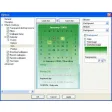
IconEdit2 options

IconEdit2 Options
Softonic Rating:Not bad
9/10

User Rating

1 rating
Usability
  • Currently 8/10.
Stability
  • Currently 10/10.
Installation
  • Currently 10/10.
Functionality
  • Currently 8/10.
Appearance
  • Currently 10/10.

Download stats

Related

Related searches